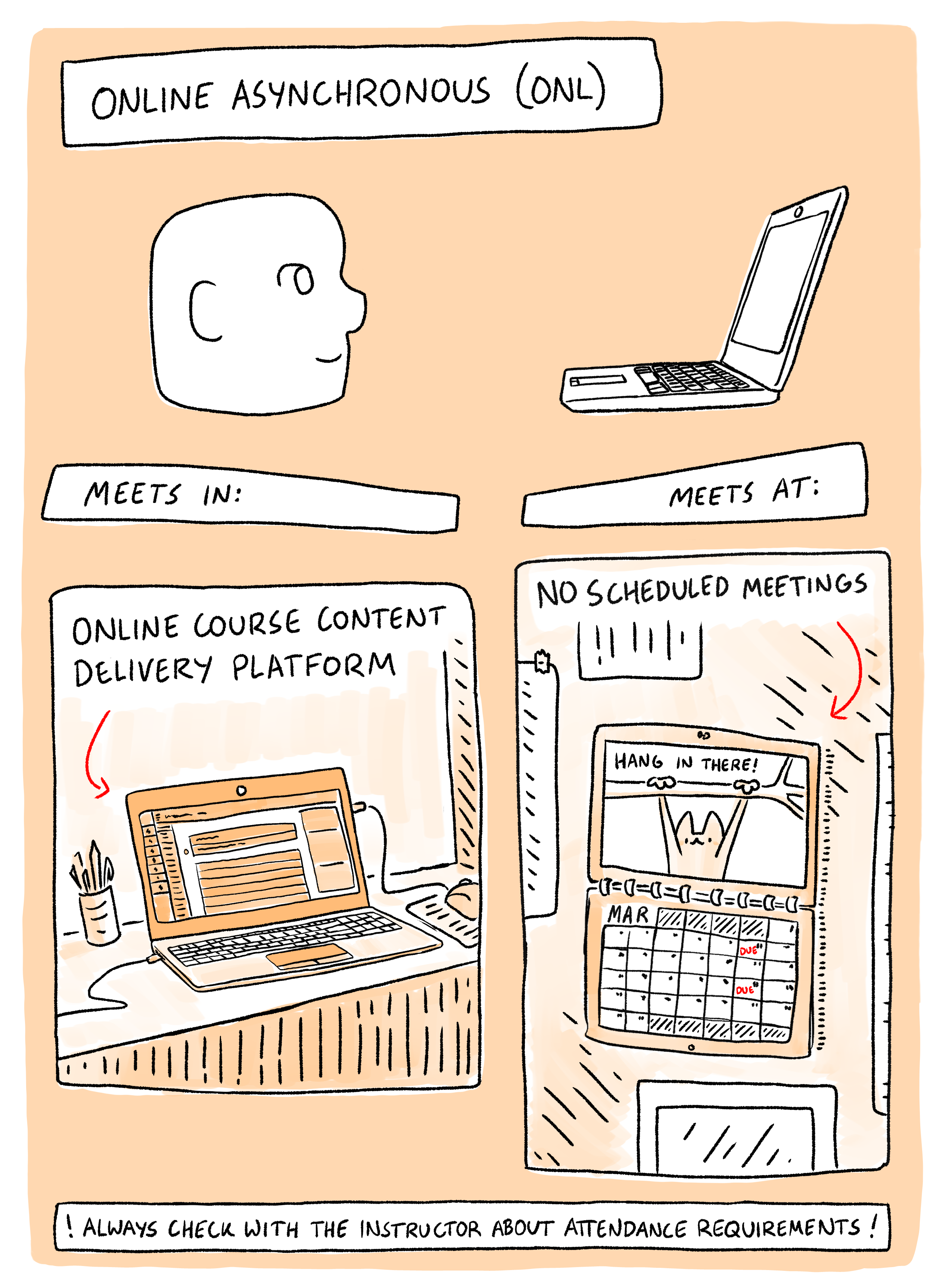
Asynchronous online courses are classes in which students and instructors aren’t present at the same time and location and activity centers around a learning management system, such as Canvas. Asynchronous classes still have established course policies and submission deadlines; they offer students a level of flexibility that is not available in a traditional classroom setting.
While it is often said that “good teaching is good teaching,” there are some recommendations and best practices that are germane to asynchronous online instruction. Several of these best practices are outlined below.

The Community of Inquiry Framework
In addition to the below online asynchronous best practices, gaining a familiarity with the Community of Inquiry Framework is highly recommended. The framework, which was originally developed for online learning environments, is a theoretical model that describes how meaningful learning occurs within an educational setting, typically by focusing on the intersection of these three key elements:

Social Presence: The ability of participants to identify with the community, communicate purposefully in a trusting environment, and develop interpersonal relationships by way of projecting their individual personalities (Garrison, Anderson & Archer, 1999).
Cognitive Presence: The extent to which learners are able to construct and confirm meaning through sustained reflection and discourse in a critical Community of Inquiry (Garrison, Anderson & Archer 1999).
Teaching Presence: The design, facilitation and direction of cognitive and social processes for the purpose of realizing personally meaningful and educationally worthwhile learning outcomes (Garrison, Anderson & Archer, 1999).
If one or more of these elements is left unaddressed, student learning will frequently suffer. For example, some online students may still learn through their interactions with one another and the course material if there is minimal teaching presence, but the lack of a guiding voice on the part of an instructor with expertise in the discipline will result in an inefficient learning environment.
What is the composition of each presence?
The Inclusive Teaching Practices Program at the University of Denver (Iturbe-LaGrave, V., 2020) outlines the fundamental elements of each presence as follows:
Social Presence:
- Communication between and with the instructor and all members of the class
- Interaction with the instructor and all members of the class
- Relation of a learning community throughout the term
- Moves from introduction to community to camaraderie
Note: Social Presence is the main element needed before Cognitive and Teaching Presence can occur
Cognitive Presence:
- Motivating students to cognitively engage with course content
- A four-phase process: (1) triggering event such as an issue or problem; (2) Exploration through reflection and discussion; (3) Meaning construction as students discuss ideas; (4) Application of knowledge both in the course and outside the classroom.
Teaching Presence:
- Instructional design, especially providing different methods of providing content
- Organization of the course
- Facilitation of the discussion
- Moving the discussion through the four cognitive phases
- Direct instruction and assisting students with questions and understanding
Note: Teaching Presence is a significant factor in student satisfaction and perceived learning
What are some practical recommendations?
Being aware of the importance and composition of the three intersecting presences is a good starting point, but what are some of the practical steps that can be taken to increase the likelihood that meaningful learning is occurring within an online course? Below are several examples.
Social Presence:
- Introductions – When preparing to teach an online course, setup a no-stakes or low-stakes discussion board that can be used by students and the instructor to introduce themselves and build rapport during the first week of the course. The introductions can be text based, but it is a good practice to encourage students to post welcome videos. Also, polls and/or surveys could be incorporated as a means for learning more about the students who are enrolled in the course (e.g., preferred pronouns, program of study).
- Student (Office) Hours – In an asynchronous online course, office hours present an excellent opportunity to build bonds with students. Two best practices are to use Zoom for “face-to-face” engagement and a scheduling app, such as Microsoft Bookings, to schedule individual appointments with students.
- Discussions – Actively participate in class discussion assignments. Instructor presence is helpful for clarification of ideas and highly correlates to students’ motivation to learn, participation, and overall success and retention in the course (Hambacher, Ginn & Slater, 2018; Richardson et al., 2015). Active discussion participation establishes both social and teaching presence.
- Responsiveness – Respond to email within a defined time period (e.g., 24 hours). This period of time should be included in the syllabus and posted in Canvas.
- Supportive Interactions – Send or post messages that are respectful, positive, and encouraging to foster an environment of mutual respect. Discussion board activity provides opportunities to publicly praise quality student contributions.
Cognitive Presence:
- Trigger -Be intentional in developing assignment and discussion prompts. Pique the interest of the students by presenting a problem that isn’t immediately obvious or easily solved. Examples could be the analysis of a real-world problem or the discussion of a complex issues with multiple perspectives. When possible, build-in prompts that are relevant to the students’ own lives and experiences, which will enhance engagement.
- Exploration – Utilize multiple methods to encourage students to explore the issue either individually, as a group, or both. Scaffold assignments or use drafts to create opportunities to provide iterative feedback and low-stakes opportunities for individual growth. Encourage collaboration by assigning group projects and peer review processes.
- Meaning Construction – Use multiple methods to encourage students to derive meaning from their exploration. For example, hold individual or group debates to create opportunities for students to articulate their understanding and perspectives on a topic. This could be done synchronously through Zoom or asynchronously through a discussion. Consider incorporating reflection and/or journaling exercises to encourage deeper thinking about the topic. Most importantly, create opportunities for students to take action in response to constructive feedback. Perhaps, use a dedicated question and answer board to field follow-up questions, which could generate additional student engagement.
- Application/Resolution – Provide opportunities for students to apply their knowledge as it relates to the original trigger. This could be drawn out through a project (preferably scaffolded) with a real-world application. Providing latitude for students to submit their own project proposals could be a good strategy as they’ll have a vested interested in applying what they have learned.
Teaching Presence:
- Syllabus – Develop and post a comprehensive syllabus that communicates clear expectations. At Vermont State, the CTLI creates and shares detailed syllabus templates on a semester-to-semester basis.
- Course Structure – Ensure that your course has an intuitive and well structured design. At Vermont State, a Canvas course templates is available in Commons and instructions for adopting it are available on the CTLI site.
- Rubrics – Provide detailed grading rubrics written in student friendly language that spell out the expectations for a given assignment.
- Course Announcements – Post Canvas announcements for weekly introductions and/or recaps. Although text-based announcements are effective, consider bolstering the announcements with multimedia content (e.g. short lecture).
- Discussions – Actively participate in class discussion assignments. Instructor presence is helpful for clarification of ideas and highly correlates to students’ motivation to learn, participation, and overall success and retention in the course (Hambacher, Ginn & Slater, 2018; Richardson et al., 2015). Active discussion participation establishes both social and teaching presence.
- Gradebook Feedback – Provide timely and detailed feedback in the Canvas gradebook. In addition to text-based feedback, recorded feedback is another option to consider. According to one study, students have been shown to be three times more likely to make suggested alterations to assignments which had audio feedback (Ice et. al., 2007). Learn more about the Canvas gradebook by reviewing the “How do I leave feedback comments for student submissions in SpeedGrader?” guide.
Asynchronous Online Best Practices
Course Preparation
- Incorporate backward design into your course development process.
- Develop assessments with transparent assignment design in mind.
- Leverage discussion boards in your course by posting engaging open-ended questions along with student participation requirements and grading rubric.
- Gain a familiarity with steps for creating an accessible Canvas course prior to adding content to the class.
- Test the hyperlinks within the course to verify they are working properly.
- Use a consistent naming convention for assignments. One best practice is to use the week number as a prefix (e.g., Week 1 – Class Assignment).
- Set due dates for all assignments, so they are clearly visible to students in their course calendars.
- Verify that all assignments have been published.
- Review the course gradebook to verify that all assignments are present.
- Avoid the use of scanned PDF documents as the pages are merely a series of images. As a result, a screen reader is unable to identify the text within them, and they will not meet WCAG standards for accessibility. In addition, scanned documents are typically of low quality and can be difficult for all students to read.
- Use the built-in Panorama app to verify that all content, including uploaded documents, are digitally accessible.
- Use the Announcements feature to post a welcome message to the class.
- Select the Student View button in the upper-right corner of the screen to evaluate how the course will appear to the student.
- If choosing to use Zoom to hold synchronous student/office hours, please be sure to turn on Closed Captioning.
Instructional
- Gain modality specific knowledge by attending professional development sessions offered through the Center for Teaching & Learning Innovation and VTSU Online. For example, joining a workshop on adult learning theory can be beneficial in understanding the needs of this demographic of online learner.
- Do not be a passive observer of discussion board activity. Facilitate the discussion as an active participant who shares supplemental resources and encourages student-to-student as well as student-to-instructor interaction.
- Clarify how and when students can reach you as well as a window of time (e.g., 48 hours) in which you will respond to their inquiries.
- Grade assessments within a time frame (e.g., within a week of the due date) that is known by your students using detailed feedback that is tied to a grading rubric.
- Follow-up with students who are falling behind encouraging them to re-engage, especially during the early stages of the semester.
- Record video content, such as topic-level lecture material, welcome messages, and recaps of previously covered concepts. In doing so, keep the recordings within 5-10 minutes in length so that it is easily digestible.
VTSU Online Resources
VTSU Online oversees Vermont State University programs that are offered 100% online. Although individual online courses taught by full time campus-based faculty members do not fall under the purview of VTSU Online, instructors are encouraged to make use of the resources listed below in addition to following the recommendations above.
VTSU Online Open Office
VTSU Online maintains an Open Office SharePoint site that is accessible to all Vermont State University faculty members. It includes the contact information for key staff, distance education best practices, and much more.
VTSU Online Canvas Template
The VTSU Online Canvas template, used by VTSU Online faculty members, is intentionally designed to use Pages rather than Modules, streamlining navigation and reducing the number of clicks required from students. By presenting all weekly content at a glance on a single Weekly Overview Page, the template minimizes cognitive load and helps adult learners stay organized and focused. Additionally, the template incorporates Federal, NC-SARA, and NECHE standards and guidelines—including regulations regarding substantive and regular interaction—allowing the institution to demonstrate compliance with key regulatory and accreditation requirements for online learning as well as best practices for the delivery of 100% asynchronous courses.
The VTSU Online template is aligned with the Vermont State University Online Standards, which delineate requirements across five broad categories: course design and readiness; faculty presence in the course room; learning management system, digital tools and navigation; interactive learning strategies and instruction; and assignments and assessments.
The VTSU Online Canvas template is available for you to copy into your Canvas course site(s). Instructions to the faculty are included within the template. Log into Canvas to familiarize yourself with the template before copying it into your course!
VTSU Online Exemplar Course
VTSU has an exemplar online Multicultural Psychology course for you to explore. For new online instructors, or experienced online instructors teaching at Vermont State for the first time, it is a beneficial resource.
Self-Paced VTSU Online Teaching and Learning Course
VTSU Online offers a self-paced online course for instructors who are interested in learning more about online teaching and learning. This is an entry level course that is one way for a faculty to fulfill the university’s baseline standards for online teaching. This course includes a study of adulty learning theory and application. To participate in this course, please email Associate Vice President of Online Program Administration, Lisa Hayward.
VTSU Membership in the Online Learning Consortium (OLC)
All VTSU faculty who are involved with, or who would like to learn more about online or hybrid learning are invited to take advantage of the VTSU Membership with the Online Learning Consortium.
References and Additional Resources
References
Garrison, D. R., Anderson, T., & Archer, W. (1999). Critical inquiry in a text-based environment: Computer conferencing in higher education. The Internet and Higher Education, 2(2), 87-105.
Hambacher, E., Ginn, K. & Slater, K. (2018). Letting students lead: Preservice teachers’ experiences of learning in online discussions. Journal of Digital Learning in Teacher Education, 34(3), 151-165 doi: 10.1080/21532974.2018.1453893
Higher E-Learning – Elevate Your Distance Ed. (2025, February 25). The 3 Energies of E-Learning – Garrison Community of Inquiry (CoI) applied to Distance Education. YouTube. https://www.youtube.com/watch?v=guRoWTYfxMs
Ice, P., Curtis, R., Phillips, P., & Wells, J. (2007). Using asynchronous audio feedback to enhance teaching presence and students’ sense of community. Journal of Asynchronous Learning Networks, 11(2), 3-25.
Iturbe-LaGrave, V. (2020). DU Inclusive Teaching Practices Website: The Community of Inquiry Model Module. Retrieved from http://inclusive-teaching.du.edu/community-inquiry-model.
Richardson, J. C., Koehler, A. A., Besser, E. D., Caskurlu, S., Lim, J., & Mueller, C. M. (2015). Conceptualizing and investigating instructor presence in online learning environments. The International Review of Research in Open and Distributed Learning, 16(3). https://doi.org/10.19173/irrodl.v16i3.2123
Additional Resources
Increasing Social Presence Online: Five Strategies for Instructors
Strategies for Promoting Cognitive Presence in your Online Course