December 2025 | Volume 3 | Issue 5 | Previous Issues

Each month, this year, we’ll be highlighting a teaching tip from one domain of the Teaching Effectiveness Framework (TEF). Our teaching tip for this month comes from the Inclusive Pedagogy domain. The approaches in this domain consider all students’ backgrounds, experiences, and learning variabilities. Instructors who ensure equitable access to course materials, foster belonging, and address the needs of a diverse student population create a more robust learning experience for all learners.
Designing Accessible Learning Environments
There are estimated to be 50 million people with disabilities in the U.S. today. Disabilities may be temporary, relapsing or remitting, or long-term. Although there are hundreds of distinct kinds of disabilities, we may group them into the following categories: physical disabilities, mental disabilities, and sensory disabilities. Disabilities are complex; they may be a source of stigma or shame and may also be a cherished part of a person’s identity and the basis for meaningful community.
Although Vermont State University encourages all students with disabilities who desire reasonable accommodations to seek services through the Academic Support office, faculty have an essential role to play in making courses accessible and creating a climate of equity and inclusion. While individual needs are difficult to anticipate, there are many things professors can do to create inclusive and accessible environments for a wide diversity of learners.
Most of the strategies highlighted in the sections below reflect the principles of Universal Design for Learning (UDL). UDL is an educational framework that emphasizes the use of flexible goals, methods, materials, and assessments in order to provide effective instruction to a diversity of learners. Rather than approaching accessibility as an afterthought or only on a case-by-case basis, UDL principles help instructors to design courses that address the needs of diverse learners from the start so that all students may benefit. For example, a note-taker is a common accommodation given to students with disabilities, however, in note-heavy classes, this may be beneficial to many students. Some instructors rotate the role of note-taker throughout the class as a way of creating a shared set of notes that all students can access.
Note, the strategies suggested in this guide are not exhaustive. For more recommendations, review this Checklist for Course Accessibility.
Citation: Thurber, A., & Bandy, J. (2018). Creating Accessible Learning Environments. Vanderbilt University Center for Teaching. Retrieved May 2, 2023 from http://cft.vanderbilt.edu/guides-sub-pages/creating-accessible-learning-environments/.

This teaching guide, which has been modified from its original form, is licensed under a Creative Commons Attribution-NonCommercial 4.0 International License.

Krystina Laychak
This month, we have the pleasure of featuring Krystina “Krys” Laychak, MSN, RN, CNE, an Assistant Professor at VTSU who teaches in the Department of Nursing.
Please tell us a little bit about your background and what brought you to VTSU.
I have been in health care my entire working career starting as an LNA way back in 1985. I was the first one in my family to go to college and I worked hard to get myself through. I know the impact a career in nursing has in my life and always tried to encourage others especially LNAs to take the leap. As a Director of Nursing at a local nursing home, I was on the community board for the then VTC nursing community of interest. I saw the value this program brought to my organization, staff and community. I jumped at a chance to be a part of it when the opportunity arose.
What first inspired you to pursue teaching in your discipline, and how has that motivation evolved over time?
Recognizing the demographic needs of our aging baby boomers, I wanted to help raise up the next generation of nursing professionals. What I found is that I truly love the work. Seeing my former students go on to do amazing things in the profession keeps me motivated.
How would you describe your teaching philosophy in a few sentences?
I believe in working with students to build on what they know and integrate what they learn. Scaffolding is the key as nurses need to learn and grow throughout their careers they need to learn and build and grow. I am not just teaching facts and procedures; I am teaching them the intellectual processes they need to sustain a career that is ever evolving.
Can you share an example of a teaching moment that felt especially rewarding or impactful?
Spring of 2025 was very challenging. My partner Paul became critically ill. From the ER to the cardiac Cath Lab; he was cared for by former students. I was also cared for by former students who supported me during a very difficult time. I saw how they evolved into professionals with specialty skills and were now teaching me the things I needed learn to care for Paul when he came home. This demonstrated the power and importance of my work as VTSU faculty; I was achieving my goal to help train the next generation of nursing professionals.
How do you incorporate inclusive pedagogy into your courses to ensure all students feel valued and supported and why is this important to you?
In the nursing profession we have many evidence-based initiatives to increase the diversity and cultural competence of our nursing professionals. It is an integral part of our VTSU nursing mission. I add these principles to all my classes I encourage and support ELL students to reach their educational and professional goals. I am passionate about human diversity and celebrate our differences with joy and seek to impart this to those I teach.
What’s one innovative technique or tool you’ve recently tried in your teaching, and what did you learn from the experience?
I recently have built Ethical AI use into several assignments as part of Gen Ed digital literacy objectives in NUR 1020 (Nurse-Client Relationship). As course lead, I also worked with other faculty to institute these assignments. This has led to a presentation for other VSC faculty and requests to collaborate with other VTSU nursing faculty to add this type of content additional courses. This has reminded me that continuing to learn and grow is not optional in professional pursuits.
If you could give one piece of advice to colleagues about fostering student success, what would it be?
Believe in your students, and help them develop the passion, drive, and desire to continue to learn, grow, and succeed.
Spring 2026 – Book Group
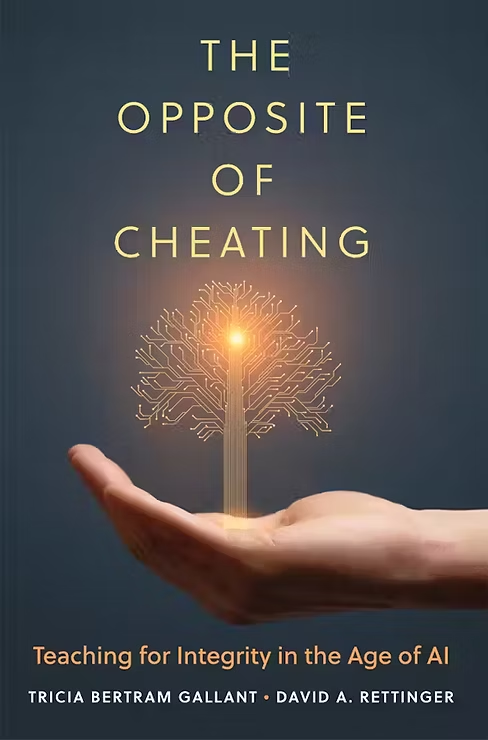
This spring, join your colleagues for a book group on The Opposite of Cheating: Teaching for Integrity in the Age of AI.
Description:
In these days of an ever-expanding internet, generative AI, and term paper mills, students may find it too easy and tempting to cheat, and teachers may think they can’t keep up. What’s needed, and what Tricia Bertram Gallant and David A. Rettinger offer in this timely book, is a new approach—one that works with the realities of the twenty-first century, not just to protect academic integrity but also to maximize opportunities for students to learn.
The Opposite of Cheating presents a positive, forward-looking, research-backed vision for what classroom integrity can look like in the GenAI era, both in cyberspace and on campus. Accordingly, the book outlines workable measures teachers can use to better understand why students cheat and to prevent cheating while aiming to enhance learning and integrity.
Bertram Gallant and Rettinger provide practical suggestions to help faculty revise the conversation around integrity, refocus classes and students on learning, reconsider the structure and goals of assessment, and generally reframe our response to cheating. At the core of this strategy is a call for teachers, academic staff, institutional leaders, and administrators to rethink how we “show up” for students, and to reinforce and fully support quality teaching, learning, and assessment. With its evidentiary basis and its useful tips for instructors across disciplines, levels of experience, and modes of instruction, this book offers a much-needed chance to pause, rethink our purpose, and refocus on what matters—creating classes that center human interactions that foster the personal and professional growth of our students.
Meetings:
We will meet on Zoom throughout the spring semester, typically once every 3 weeks. We’ll survey those who RSVP to identify a time that works for the majority.
How to Sign-up:
To sign up for the group, please sign into your VSC account and submit the following form:
Building Anti-Racist Educators: Reading & Inquiry Series
This Reading and Inquiry Series provides a monthly set of tools for learning, introspection and having conversations about issues of racism in our university, classrooms and communities. We hope that through regular reflection and conversation, you can get better at recognizing and resisting your biases and the impact they have on your students and colleagues.
Meetings:
The group will be meeting via Zoom on the following dates:
- Monday, December 15th (12:00-1:30p)
- Thursday, January 22nd (3:00-4:30p)
- Thursday, February 19th (3:00-4:30p)
- Thursday, March 19th (3:00-4:30p)
- Thursday, April 16th (3:00-4:30p)
- Thursday, May 21st (3:00-4:30p)
How to Sign-up:
To receive a calendar invitation, Zoom link, and access to the group’s Canvas space, please fill out the Vermont State Colleges Building Anti-Racist Educators Sign-Up Form.

Upcoming Workshops
- January 14, 2026 @ 10:00 am – 11:00 am
Spring Semester Goal Setting Using the Teaching Effectiveness Framework
- January 16, 2026 @ 11:00 am – 12:00 pm
For New VTSU Faculty: Spring Semester Kick-Off
- January 20, 2026 @ 12:00 pm – 1:00 pm
Spring Semester Goal Setting Using the Teaching Effectiveness Framework
- January 22, 2026 @ 3:30 pm – 4:30 pm
Quick, Ask the Library! Making the Most of the VSCS Libraries’ Services
- January 23, 2026 @ 12:00 pm – 1:00 pm
Quick, Ask the Library! Making the Most of the VSCS Libraries’ Services
- January 23, 2026 @ 3:00 pm
Spring Semester Goal Setting Using the Teaching Effectiveness Framework
- January 26, 2026 @ 12:00 pm – 1:00 pm
Spring 2026 Series on Writing & Generative AI: An Introduction to Generative AI
- March 2, 2026 @ 12:00 pm – 1:00 pm
Spring 2026 Series on Writing & Generative AI: Supporting an AI-Mindful Writing Process for Students
As you likely know, starting in April 2026, all public higher education institutions of our size must be compliant with new regulations for accessibility of digital content. The regulations are based on the WCAG 2.1 AA standards, which are written for a technical audience.
In the CTLI, through the EdPros workshops, reading, and LinkedIn Learning courses, we have been gaining knowledge of digital accessibility. And we are creating tutorials on some of these key skills for faculty, translating the technical standards for general users. We are collating digital accessibility resources on our webpage for easy access, as well.
Check out our fifth tutorial on the Top PDF Alternatives. And see if you can ace the knowledge check at the end!
Previous Tutorials:
- Top 5 Best Practices for Creating Alt Text, Image Descriptions, and Captions
- Top 5 Best Practices for Structuring Accessible Documents
- Top 5 Best Practices for Creating Accessible Hyperlinks
- Top 5 Best Practices for Selecting Accessible Color Combinations
If you have feedback on the tutorial or topics you’d like to see us cover in future months, let us know by emailing ctli@vtsu.edu. Thank you so much.

VSC Libraries
Faculty Workshop: Register Now!
Quick, Ask the Library! Making the Most of the VSCS Libraries’ Services
Register for January 22, 2026 at 3:30pm
or
Register for January 23, 2026 at 12:00pm
Are you making the most of the VSCS Libraries resources and services? Are your students getting the most out of what the library offers and succeeding in your class? Learn practical (and helpful!) ways to bring information literacy lessons into your courses and help your students become ace researchers. All for free!
VSCS Libraries Usability Testing
We want you and your students to help us make our systems easier to use!
During the spring semester the VSCS Libraries will be usability testing our website and online resources. This will consist of meeting (virtually) with students, faculty & staff, asking them to complete specific tasks using the library systems and then reflect on how it works for them.
We are collecting names of folks who are interested in participating. Please sign up.
We would also love if you could help us reach out to students. We’d like to reach as wide of a range of folks as possible: users with different levels of library experience, users with disabilities or who may have other challenges with online systems, etc.
Participants in the tests will be entered in a drawing for special prizes!
If you have any questions, please contact Michael Braun Hamilton, our Web Services Librarian – michael.braunhamilton@vsc.edu. Please spread the word!
Reference Assistance
With finals around the corner, encourage your students to use the red Get Help tab on the library website for quick access to support via live chat, text (802-278-0997), phone (800‑431‑0025), email (libraries@vsc.edu), or to schedule a research appointment.
Student Success
New Basic Needs Resource Tile
Vermont State University is committed to supporting the whole student — not just academically, but personally and financially as well. We’re excited to announce the launch of the new Basic Needs Resource tile, now live in the VTSU Portal!
This new resource hub connects students directly to on-campus and community supports for food, housing, transportation, technology, childcare, emergency grants, and more — all in one convenient location. Whether you’re looking for a campus food pantry, assistance with textbooks, or information about applying for benefits, the Basic Needs Resource page can help and it can easily be accessed from a tile in the Portal.
For Students:
Explore available resources to help you stay focused on your goals and well-being. Reaching out for support is a strength — and we’re here to help.
For Faculty & Staff:
Use this page to refer students who may be struggling with food insecurity, transportation challenges, or other barriers to success. Sharing this resource can make a real difference.
Together, we’re creating a State of Possibility — one that ensures every student has the essentials to thrive.
Multilingual Student Services
VTSU Multilingual Student Services (MSS) supports your courses with targeted ESL tutoring, course-embedded consultations, English Pathway placement/advising, and alternative assessment recommendations that are aligned to your assignments.
Fast faculty referrals. To reduce barriers for your multilingual students, you may refer them by email directly to Mary.Dinh@VermontState.edu. Please include the student’s name, course/section, the task or assessment (e.g., paper, presentation, exam), the primary language needs you’ve observed, and any deadlines. We will contact the student and place them on the tutoring schedule.
1-on-1 ESL tutoring. Our professional ESL tutors provide individualized coaching to develop all four core skills, reading, writing, listening, and speaking through strategy-based practice (e.g., unpacking prompts, organization and cohesion, academic vocabulary/grammar, note-taking, pronunciation, presentation skills). Tutors can also work with a student on a single assignment (paper, presentation, class readings’ response) from prompt analysis to planning, drafting, and final checks.
Case-by-case extended time on quizzes and exams. Extended time and the monitored use of translation tools for quizzes/exams can be considered via email consultation with MSS and the professor or instructor. With instructor approval, students may take quizzes and exams in person at the MSS office (Castleton and Williston) or via virtual proctoring for Johnson and Lyndon. This support is available when a faculty member raises a concern or when a multilingual student contacts our office and, after evaluation, is assessed as still developing English proficiency, typically in the first two years of higher education (e.g., while enrolled in ESL courses through the English Pathway Program). Please note that, due to licensure and accreditation requirements, Nursing and Applied Health Sciences follow distinct assessment policies, so this support is generally not available for those courses.
Office hours. Faculty can email to schedule a 30-minute catch-up meeting at any time in the afternoon to discuss an individual multilingual student case or to workshop linguistically and culturally responsive pedagogies. Zoom or in-person options are available.
Wishing you a smooth finals period and a restorative break.
The VSC IT Learning Technologies Team
Classroom Upgrades
Classroom upgrades on the VTSU Randolph campus are scheduled for the week of January 5th and include Green 124, 128, 224, and 228. To learn more about the Learning Technologies staff and services, including planned upgrades, and for access to classroom guides, on-demand resources, assistance from Senior Instructional Technology Specialist Sean Dailey, and more, a Learning Technologies SharePoint Site is now available.
Seeking Faculty Assistance
The Learning Technologies team is responsible for assessing the impact of newly available Canvas tools before they are deployed. While conceptually great, the new Discussions Checkpoints feature, for example, impacted the Gradebook in unexpected ways when first released. Given our shared dependence on Canvas, the team is looking for faculty assistance in testing a few of the most promising new tools: Enhanced Rubrics, the Modernized Gradebook, and Discussion Checkpoints. Please contact Sarah Chambers, Director of Learning Technologies, if you are interested in testing these tools in the VSC Canvas test environment and are willing to provide feedback regarding their potential impact, usefulness, and deployment.
Preparing Courses for Spring
As we turn our attention to spring and work to prepare new course offerings, the Learning Technologies team reminds us that previous Canvas course content can be easily moved into new Canvas course shells using the Import Course Content feature (click to access instructions and tutorial video). Faculty that elect to use the “Adjust events and due dates” feature when completing this process will need to convert respective start and end dates. For example, course content being copied from a fall 2025 course into a spring 2026 course will need to have “Beginning dates” shifted from Monday, August 25th to Tuesday, January 20th and “Ending dates” shifted from Friday, December 19th to Friday, May 15th.
Course Sharing
VSC faculty have long enjoyed the ability to share their Canvas courses with colleagues. One way to do this is to add Canvas courses to the Canvas Commons (click to access instructions and tutorial video). Once added, VSC faculty can provide their colleagues with the ability to import them into their own Canvas course shells. Faculty can also request “Sandbox” versions of their courses be made available to their colleagues; instead of providing access to existing courses with confidential student data, Canvas Sandbox courses safely provide access to course content while avoiding any potential issues with FERPA (click to access more information). If desired, the VSC Learning Technologies team can provide faculty with the Course Manager role in Sandbox courses, thus allowing faculty the ability to share access to the Sandbox course with anyone they choose. Please submit a ServiceDesk ticket to get started.
For more information about VSC IT, we encourage you to review the VSC IT Support Site for the latest updates and announcements.
VTSU Online Administration
Adult Learning Theory: Many of our online learners are 25 or older. Principles of andragogy can guide course development and approaches to teaching that more deeply engage adult learners and increase persistence and retention. This fall, VTSU Online and the CTLI are offering 3 more opportunities (once per month) for you to gain ideas about how to incorporate adult learning theory into your online teaching:
- Thursday, December 4 @ 12:15 pm – 1:15 pm: Adult Learning in Online Classes at VTSU
VTSU Registrar’s Office
Fall 2025 Final Grades Due: Final course grades (policies: undergraduate and graduate) for the Fall 2025 semester are due on December 25th, however, you are always welcome to get them in before the due date. The Registrar’s Office and the undergraduate Academic Standing Committee appreciate your timely attention to this date. Now is also a good time to review the relevant Incomplete Grades policy (policies: undergraduate and graduate) for your course(s).